
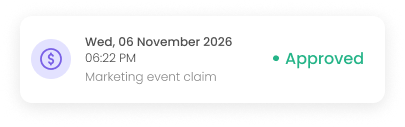
Approved
CLAIMS
Claims approved in
taps, not weeks
Employees snap a receipt and submit a claim on the spot. Approvers review on their phone, and approved claims flow straight into payroll for reimbursement. No paper forms, no lost receipts.
I'm In is an expense claim management system for Malaysian businesses that lets employees submit claims with a receipt photo from their phone, routes them for approval, and sends approved claims to payroll for reimbursement.
KEY BENEFITS
From shoebox of receipts to a clean, tracked trail
Everything a claim needs to move - capture, approval, and reimbursement - without a single form.
Submit with a photo
Staff snap the receipt and file the claim in seconds, from anywhere.
No lost receipts
One-Tap Approvals
Reimbursed through payroll
Clear claim history
KEY BENEFITS
Built around how a claim actually moves
Capture in one screen
Submit claims with a receipt image, amount, category, and date - everything captured in a single step on the app or browser.
Categories that match policy
Set claim categories that map to your company's expense policy, so every claim is filed against the right bucket.
Approval routing
Approval flows route each claim to the right approver automatically - no chasing, no forwarding by hand.
Sync to payroll
Approved claims sync to payroll for reimbursement in the same pay cycle, with no re-entry.
Audit-ready record
A full digital record of every claim and receipt is kept for audit and reference, searchable any time.
HOW IT WORKS
One claim, tracked from snap to reimbursed
Snap & Submit
The employee photographs the receipt and submits a claim in the app.
Sent to Approver
The claim is routed to the approver, who is notified instantly.
Approve or Reject
The approver reviews the receipt and decides in one tap.
Into Payroll
The approved claim syncs straight to payroll.
Paid in Cycle
The employee is reimbursed in the pay cycle, with the status visible throughout.
FAQ
Questions? Answered
How do employees submit a claim?
Employees photograph the receipt and submit the claim with the amount, category, and date from the I'm In app or browser.
Can approvers review claims on mobile?
Yes. Approvers receive a notification and can review the receipt and approve or reject the claim from their phone.
How are approved claims reimbursed?
Approved claims sync to payroll and are reimbursed in the pay cycle, so there's no separate payment process.
Can we set claim categories and limits?
Yes. Claim categories can be configured to match your company's expense policy.
Is there a record of past claims?
Yes. Every claim and its receipt is stored digitally, giving employees and HR a full history for reference and audit.
Watch a claim go from receipt to reimbursed
Book a quick demo and see a receipt become an approved, payroll-ready claim — no forms, no lost paper, no waiting weeks.
Unlock Efficiency and Simplify HR Tasks with Our All-in-One HRMS Solution
A-21-03, Tower A, Ekocheras Service Suites Jalan Cheras, 56000 Cheras, Kuala Lumpur